How to Use a Gimbal Properly – Tips from Pros
If you’re serious about getting smooth, cinematic shots, then you need to use a gimbal properly. Whether you shoot weddings, vlogs, or branded content, gimbals help eliminate shaky footage and make your videos look more professional. But owning one isn’t enough, learning how to use a gimbal properly is what truly sets you apart.
Any professional had to start one day. The trick: practice, balance, and technique. Anyone can master their gimbal with the right tips and take their game to the next level. So, if the question is how to use a gimbal properly, read on the Insider-approved tips that should not go wrong.
1. Balance Your Gimbal Before Shooting
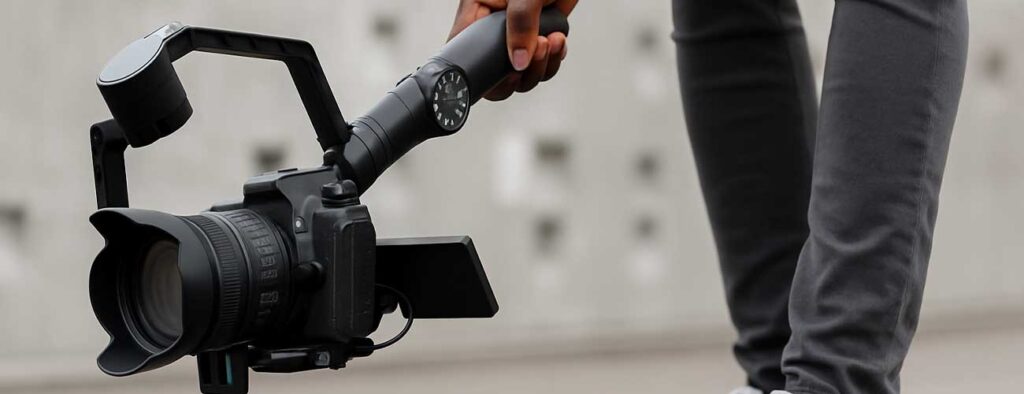
This is completely non-negotiable. Your camera must always be balanced on the gimbal before it is turned on. An unbalanced camera will put extra strain on the motors and will ultimately ruin any footage. Place your gimbal on a flat surface, make any necessary adjustments to each axis so that your camera will remain still when supported, and only then should the gimbal be powered on.
2. Walk Like a Ninja
Funny, but it works. Put the heel down first, then roll visibly onto your foot until your toes become the focal point. Slightly bending your knees will addedly help; keep your arms tight to your body. This allows your movements to complement the gimbal, cutting down any unnecessary jiggle from heavy footfalls.
3. Understand Your Modes
Gimbals tend to have different modes, something like pan follow, lock mode, and even POV. Find out what each one means. Maybe pan follow is for smooth turns, and lock mode is for static shots. This kind of knowledge encourages your mindset to stay creative and retain control.
4. Use Two Hands
Lightweight gimbals also enjoy two-hand holding. One hand on the grip, the other on the bottom or the side. It gives you better balance and eliminates strain on longer shoots.
5. Plan Your Movement
Don’t wander aimlessly. Plot your shots. Know where you’re starting, where you’re ending, and what you’re doing in the middle. Planning directs you to focus on smooth movement rather than improvising.
6. Add Creative Moves
Once you’re comfortable, try things like:
- Crane shots (lifting up or down)
- Orbit shots (moving around a subject)
- Tracking shots (following a moving subject)
These add cinematic flair and make your content more engaging.
Final Thoughts
Learning to use a gimbal properly takes a little time, but the payoff is worth it. Your footage becomes stable, cinematic, and professional, the kind of content that gets attention. Don’t be afraid to practice, experiment, and improve with every shoot. Need a gimbal for your next project in Lagos? At Camera Rental Lagos, we rent high-quality gimbals for creators, filmmakers, and brands. Whether you’re just starting out or already shooting like a pro, we’ve got the tools to help you shine.